Choose BiteLume if your priority is a focused iPhone workflow: photograph a meal, review an estimate for calories, protein, carbohydrates and fat, and keep daily meals, water, movement and weight trends together. Choose Lose It! if you want a broader calorie-tracking ecosystem with manual food search, a large database, community support, multiple device types and advanced Premium features such as photo and voice logging, nutrient tracking, fasting tools and integrations. Neither is a universal winner. BiteLume is free to download and offers in-app purchases; its public listing does not establish that every feature is free. Lose It! provides free Basic calorie tracking, while its App Store listing places photo logging and several advanced tools in Premium. Check the current offer inside each app before subscribing. Photo estimates from either app still depend on visible foods, portions and hidden ingredients, so review results rather than treating them as exact measurements.
BiteLume vs Lose It! at a glance
The quickest way to choose is to define the workflow you will actually repeat. BiteLume's current listing centers on taking a meal photo, reviewing estimated calories and macros, saving the meal, and following daily and longer-term patterns. Lose It! combines several entry methods with calorie budgets, food and exercise logs, weight tracking, a community, and a much broader set of Premium controls.
That difference matters more than a raw feature count. A smaller, photo-led app can feel more direct when the meal in front of you is the main input. A mature database tracker can be more useful when you frequently log packaged products, saved recipes, branded foods, restaurant items, workouts or detailed health targets. Neither advantage makes one app better for everyone.
This table reflects official public information reviewed on October 18, 2026. It does not represent hands-on testing, and feature availability can change by platform, region, account or subscription offer.
Swipe to see the full table
| Decision factor | BiteLume | Lose It! |
|---|---|---|
| Core proposition | Photo-first calorie and macro estimates with a simple daily diary | Broad calorie, food, exercise and weight-tracking platform |
| Photo meal logging | Advertised as a central workflow | Advertised as a Premium feature |
| Other logging methods | Current listing emphasizes meal photos | Manual search plus advertised photo and voice options |
| Nutrition scope | Calories, protein, carbohydrates and fat | Calories, macros and broader advanced nutrients in Premium |
| Platforms | iPhone | iPhone, iPad, Apple Watch and Android |
| Access | Free download with in-app purchases | Free Basic tier with optional paid plans |
Sources for this section: BiteLume App Store listing · Lose It! App Store listing
Related: Browse all BiteLume app comparisons
How the photo-logging workflows differ
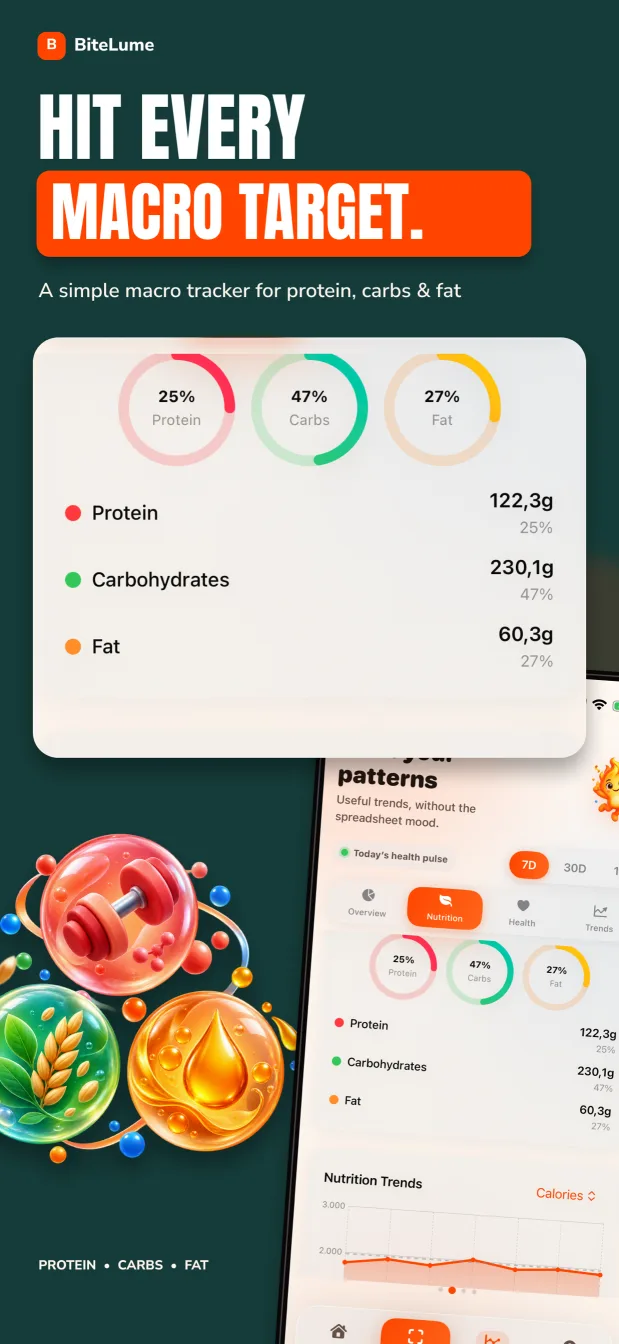
BiteLume is designed to make the photograph the start of the record. Its official description says the app identifies a meal and estimates calories, protein, carbohydrates and fat, after which the user reviews and saves the result. The same listing describes daily views for meals, water and movement, plus calorie and macro targets, weight trends, streaks and milestones. That makes it a natural candidate for someone who wants the food diary to stay visually connected to the meal.
Lose It! approaches photo logging as one method inside a larger system. Its current App Store description places photo meal logging and AI voice logging in Premium, alongside barcode scanning, advanced nutrient tracking, fasting, meal targets and device integrations. Lose It!'s official support material also emphasizes its searchable food database and a personalized calorie budget. That breadth is useful when one meal is best logged from a photo and the next from a known database entry.
A photo cannot reveal every ingredient. Oil absorbed during cooking, dressing under a salad, sugar in a drink or the depth of a casserole may be uncertain. Whichever app you choose, inspect the food identity and portion assumptions. Use an exact label, restaurant nutrition page or recipe calculation when it provides stronger evidence than an image.
BiteLume makes photo estimation the center of a compact diary. Lose It! makes photo estimation one Premium input among a wider collection of logging, planning and community tools.
Sources for this section: BiteLume features on the App Store · About Lose It!
Compare the job each app is built to do
If your question is simply, “What is roughly on this plate, and how does it fit into today?”, BiteLume's narrower scope may reduce decisions. The app listing does not advertise a community feed, extensive branded-food database, intermittent-fasting system or the same range of device connections. That is a limitation for some people and welcome focus for others.
Lose It! is more likely to fit a person who wants calorie budgeting to connect with exercise, community accountability, saved foods, advanced nutrient goals or several devices. Its Basic tier includes core calorie tracking and a weight-loss plan. Its published Premium materials describe custom goals, fitness syncing, future logging, photo and voice logging and other advanced tools. Entitlements can change, and Lose It!'s own official pages are not perfectly identical about which individual tools sit in Basic or Premium, so confirm any must-have feature in the current app before paying.
Do not select by the longest checklist alone. Every extra tool creates another screen or decision. A feature has value only if it supports a habit you intend to use. Someone who logs three ordinary meals may need less breadth than someone managing saved recipes, wearable data, fasting windows and micronutrient targets.
Swipe to see the full table
| Your recurring need | Likely better starting point | Why |
|---|---|---|
| Start most unpackaged meals with a photo | BiteLume | The public product description is organized around this workflow |
| Switch among search, database, photo and voice | Lose It! Premium | Its official materials advertise several logging methods |
| Use a community or support groups | Lose It! | Community support is part of its Basic description |
| Keep the interface centered on calories and core macros | BiteLume | Its published nutrition scope is intentionally compact |
| Track advanced nutrients or fasting | Lose It! Premium | Those tools are included in the advertised Premium set |
| Use iPad, Apple Watch or Android | Lose It! | BiteLume's current listing is iPhone-only |
Sources for this section: Lose It! membership tiers and features · BiteLume App Store information
Related: Compare BiteLume with Cal AI
Free access, subscriptions and supported devices
BiteLume is listed as free to download with in-app purchases. That wording does not prove that the entire app is free, and this comparison does not label BiteLume a completely free Lose It! alternative. The store shows optional purchases, but the exact offer presented to a user can depend on region, account and current promotion. Review the paywall and renewal terms on your own device before confirming anything.
Lose It! offers a Basic membership at no charge and paid Premium options. Its support pages note that pricing and discounts can vary, and its App Store description assigns photo meal logging to Premium. Because subscription terms are commercially important and change more often than the core workflow, this page deliberately avoids quoting a price that may not be the one you see.
Platform reach is less ambiguous. BiteLume's US listing describes an iPhone app requiring iPhone software version 17.0 or later. Lose It! is available across iPhone, iPad and Apple Watch, and its official support also documents Android access. Choose Lose It! if cross-platform use is essential; choose between them on workflow if you already use a compatible iPhone.
- Check whether photo logging works before a purchase or only after subscribing.
- Read the billing period, renewal date and trial terms shown at checkout.
- Confirm that a purchase transfers across every platform you plan to use.
- Do not assume an App Store “Free” button means all features are free.
- Recheck current terms if you return to an app after several months.
Sources for this section: What is Lose It! Premium? · BiteLume App Store purchase information
What the App Store privacy labels say—and do not say
Privacy can be a deciding factor when meal photos, body measurements and health-related habits are involved. BiteLume's current US App Store label says “Data Not Collected.” Lose It!'s label says certain contact information, identifiers and usage data may be used to track users, and lists categories including health and fitness, contact information, user photos, identifiers, usage data, sensitive information and diagnostics as data that may be linked to identity for stated purposes.
BiteLume’s linked privacy policy says meal photos and descriptions are sent to OpenAI and separately mentions optional usage analytics and product-database lookups. That does not match a simple reading of “Data Not Collected.” BiteLume should reconcile its implementation, policy and App Store Connect answers before the label is treated as evidence of a smaller actual footprint.
These disclosures are developer-reported and not independently verified by Apple. Read the current labels and linked policies before installing. If privacy is your leading criterion, decide which data categories concern you, whether an account is required, how provider retention works and whether you are comfortable sending meal images to an online service.
Swipe to see the full table
| App Store disclosure reviewed Oct. 18, 2026 | BiteLume | Lose It! |
|---|---|---|
| Top-level label | Data Not Collected | Data Used to Track You and Data Linked to You are listed |
| Meal-photo statement | Label lists none; linked policy says photos and descriptions go to OpenAI | Photos or Videos appears under linked user content |
| Independent Apple verification | No | No |
| What to do next | Read the linked policy and recheck the current label | Read the linked policy and recheck the current label |
Sources for this section: BiteLume listing on the App Store · Lose It! listing on the App Store · Apple guidance on app privacy details · Lose It! privacy policy
Who should choose BiteLume, and who should choose the Lose It! app?
Choose BiteLume when your desired routine is visually simple: take a meal photo, inspect a calorie-and-macro estimate, save it, and use the daily diary and progress history to notice patterns. It is especially relevant when manual database searching is the friction that usually stops you from logging. An iPhone is required, and you should be satisfied with the feature scope documented in its current listing.
Choose Lose It! when breadth is the point. It is the stronger candidate for a person who wants a large food database, calorie budgeting, community participation, multiple device types, or Premium tools spanning photo, voice, advanced nutrients, fasting, planning and integrations. That additional structure may justify more setup and a paid plan for photo-first use.
If both descriptions sound plausible, compare one normal week rather than one impressive scan. Include a packaged breakfast, a mixed homemade dish, a restaurant meal and a repeated recipe. Note the time to create a defensible entry, the amount of review required, and whether the diary helps you understand the week. Keep the option that makes honest, repeatable logging easier.
BiteLume is the more focused choice for an iPhone user who mainly wants photo-led calorie and macro tracking. Lose It! is the more complete choice for someone who wants a database-centered nutrition and fitness ecosystem across more devices.
A fair way to evaluate either app before switching
Switching food trackers can create false confidence if the new app simply produces a different number. Keep the question practical: does the workflow help you create a reasonable record with less friction? Calorie estimates can disagree because apps use different serving sizes, recipe assumptions, food records and image interpretations. Agreement with another app is not proof of accuracy.
Run the same small evaluation for each contender. Use foods for which you have some evidence, such as a package label or a recipe with known ingredients, and also include the uncertain meals that motivated you to try a photo tool. Review obvious mismatches, hidden oil, drinks and second servings. Do not expect a photograph to replace all context.
Finally, consider how the app behaves after the novelty wears off. A useful tracker should fit the days when you are busy, eating away from home or repeating yesterday's lunch. The best choice is the one whose limits you understand and whose routine you can maintain—not the one with the boldest promise.
- List the three features you would use every week.
- Confirm those features are available on your device and current plan.
- Log the same representative meals in both apps.
- Compare the assumptions behind the entries, not only the totals.
- Review privacy labels and subscription renewal terms.
- Choose the workflow you can repeat without pretending estimates are exact.
Questions people also ask
Is BiteLume a free alternative to the Lose It! app?
BiteLume is free to download and offers in-app purchases, so it should not be described as completely free. Lose It! has a free Basic tier, while its listing places photo logging and several advanced tools in Premium. Check the current in-app offer before deciding.
Is BiteLume or Lose It! better for meal photos?
BiteLume is more focused on a photo-first iPhone workflow. Lose It! includes photo logging within a broader Premium toolset. Choose BiteLume for a compact calorie-and-macro diary, or Lose It! when you also need its database, planning, community and integrations.
Can BiteLume replace every Lose It! feature?
No. BiteLume's current listing does not advertise the same community, large food database, fasting tools, voice logging, advanced nutrient set or cross-platform reach. It is an alternative for a narrower photo-led workflow, not a feature-for-feature clone.
Which app has the better App Store privacy label?
The labels differ, but this page does not rank one as better. BiteLume displays “Data Not Collected,” while its linked policy says photos and descriptions go to OpenAI and mentions optional analytics. Lose It! lists tracking and linked-data categories. Read both policies and labels; BiteLume should reconcile its own disclosures.
Make the next meal easier to track.
Use a photo to get a calorie and macro starting point, review the details, and keep your progress in one place.