Choose BiteLume if you want a focused iPhone photo diary with estimated calories, protein, carbohydrate and fat alongside meals, water, movement, weight trends and streaks. Choose SnapCalorie if you want iPad or Android access, voice logging, editable estimates, nutrition-label scanning, a food database, more than 100 nutrient values, or LiDAR/depth-sensing portion analysis on supported iPhone Pro models. SnapCalorie’s official FAQ currently says free access includes up to three AI logs per day and separately mentions Premium, but it does not say what Premium changes about that limit. Verify the paid entitlement in the live app. BiteLume is free to download with in-app purchases, but its listing does not publish every access boundary. Neither app can see a hidden recipe or measure every portion exactly. Their labels and policies contain inconsistencies, so choose after testing representative meals and reading the current subscription and privacy terms.
How we compared two photo-first calorie apps
We compared the current U.S. App Store listings, SnapCalorie’s official FAQ and its published privacy policy on October 18, 2026. The page covers documented capture methods, nutrition output, devices, access and privacy. It does not claim a private product test, and it does not reproduce either company’s accuracy marketing as independent evidence.
That restraint is important in a close comparison. A scanner can be impressive on one plate and struggle with another because food identification, portion estimation and hidden ingredients are separate problems. Subscription allowances can also change more quickly than an article. We state what the cited first-party source currently says and tell you where to verify it.
The verdict is conditional rather than a rank. SnapCalorie’s wider tool set may be decisive for one person; BiteLume’s narrower daily flow may remove more friction for another.
Sources for this section: BiteLume App Store listing · SnapCalorie App Store listing · SnapCalorie FAQ
BiteLume and SnapCalorie at a glance
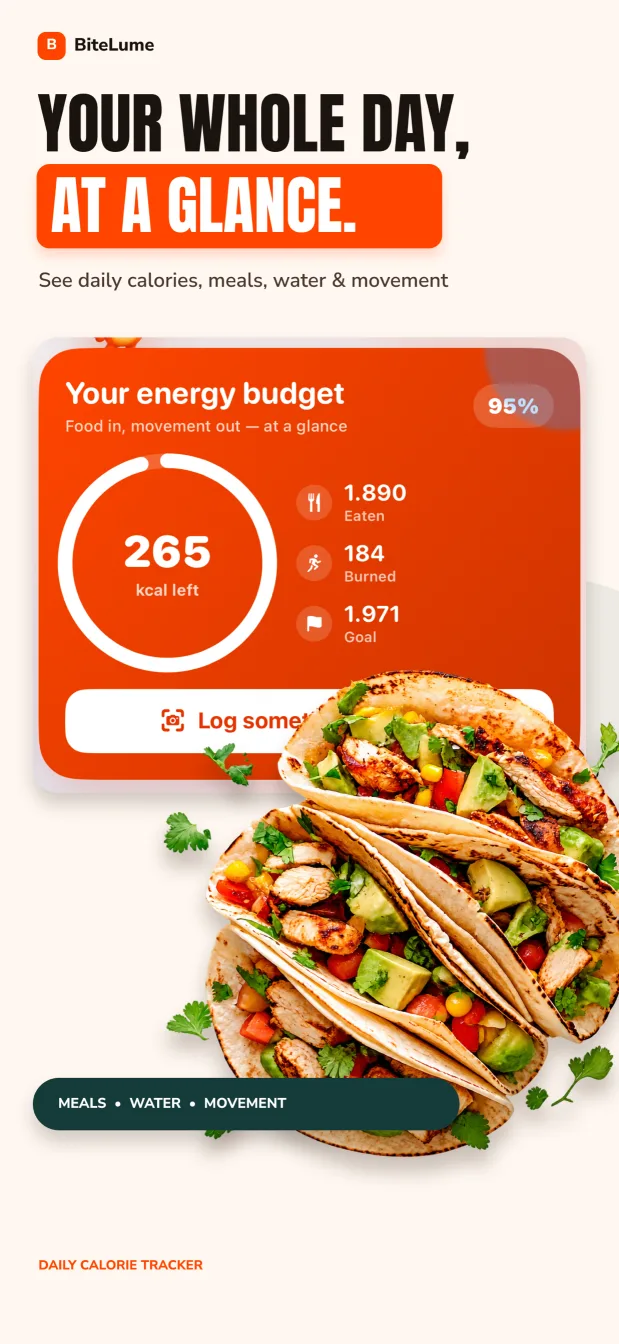
BiteLume’s listing emphasizes an iPhone photo scan that returns estimated calories and protein, carbohydrate and fat. The app places saved meals into a daily view with water and movement context, then adds weight trends and streaks. It is a compact general-wellness diary rather than a claim to catalog every nutrient.
SnapCalorie’s listing describes photo and voice logging, editable results, a nutrition-label scanner, a food database, custom calorie and nutrient goals, Apple Health integration and a visual timeline. It says results can include more than 100 nutrients. The app supports iPhone and iPad on Apple’s listing, while its official materials also cover Android.
Both can reduce typing, but SnapCalorie publishes more routes and more nutritional dimensions. BiteLume gives the main calorie-and-macro view less surrounding complexity. Decide whether additional inputs and nutrients will inform a real decision or simply create more information to review.
Swipe to see the full table
| Decision factor | BiteLume | SnapCalorie |
|---|---|---|
| Core input | Meal photo | Meal photo or voice, plus other documented tools |
| Documented devices | iPhone | iPhone, iPad and Android |
| Nutrition emphasis | Calories and protein, carbs and fat | Calories, macros and 100+ nutrients |
| Daily view | Meals with water, movement, weight trends and streaks | Visual timeline, goals and Apple Health integration |
| Best fit | A focused photo diary | More capture options and nutrient depth |
Sources for this section: BiteLume App Store listing · SnapCalorie App Store listing
The biggest workflow difference appears after the photo
BiteLume uses the image as the anchor of a straightforward meal entry. You photograph the plate, inspect the suggested food and portion, and keep the picture beside the calorie and macro estimate. The visual diary supports later recall: you can see whether yesterday’s “salad” was a small side or a full meal with dressing and toppings.
SnapCalorie’s documented flow offers more ways to shape the result. Its listing describes a voice note for a meal or cooking detail, editable estimates, nutrition-label scanning and database access. That can help when a photo needs context such as “pan-fried in olive oil” or when a packaged product’s printed information is stronger than visual recognition.
Do not confuse nutrition-label scanning with a guaranteed conventional UPC-barcode workflow. SnapCalorie’s first-party App Store description specifically says to photograph a packaged food’s nutrition label; it does not clearly promise a standard barcode scanner there. If UPC scanning is essential, verify the current app rather than inferring it from the word “scanner.”
Swipe to see the full table
| Meal or task | BiteLume route | SnapCalorie route |
|---|---|---|
| Ordinary plated meal | Take a photo and review the estimate | Take a photo and review or edit the estimate |
| Important cooking detail | Account for it during your review | Add a documented voice note or adjust afterward |
| Packaged food | Compare the result with the printed label | Photograph the nutrition label using the documented label scanner |
| Meal remembered without a photo | Public listing centers the camera flow | Voice logging is documented |
| Visual history | Daily photo diary | Visual timeline |
Sources for this section: SnapCalorie App Store feature description
Related: Compare BiteLume with Cal AI
Depth sensing and extra nutrients can help—but they do not remove uncertainty
SnapCalorie says it uses LiDAR/depth sensing on supported iPhone Pro models to support portion measurement. Its listing also advertises more than 100 nutrients. Those are meaningful documented differences if micronutrient review or portion technology is central to your use case. Confirm that your specific iPhone supports the relevant depth capability and that the output you need is available in your plan.
BiteLume takes a more limited published approach: calories and the three main macros are the central result. That can be sufficient for a person asking broad questions about meal patterns, protein distribution or energy intake. It is not the choice to make solely because you need a long micronutrient panel from every scan.
Neither approach reveals an invisible recipe. A depth map may improve information about visible volume, but it cannot determine how much oil was absorbed, whether a sauce contains sugar or what sits inside a filled pastry. Research on food-image estimation continues to treat portion and ingredient inference as difficult tasks. Use labels, recipes and measured amounts when they provide stronger evidence.
Swipe to see the full table
| Question | BiteLume | SnapCalorie |
|---|---|---|
| Need main macros quickly? | Published focus matches | Also included in broader output |
| Need extensive nutrient detail? | Not the public focus | Listing says 100+ nutrients |
| Need depth-based portion analysis? | Not claimed on the listing | Documented on supported iPhone Pro models |
| Can the camera identify hidden oil exactly? | No | No; the FAQ describes an educated estimate |
| Best evidence for a known package | Current package label | Current package label |
Sources for this section: SnapCalorie FAQ — portions and hidden oils · SnapCalorie App Store listing — nutrients and features · Peer-reviewed food-image estimation research
SnapCalorie publishes a free allowance; BiteLume’s boundary is less explicit
Both App Store listings show free downloads with in-app purchases. SnapCalorie’s official FAQ says free use includes up to three AI logs per day and separately mentions a Premium subscription. The page does not say whether Premium changes or removes that daily limit, so verify the current paid entitlement in the live app before building a routine around it.
BiteLume’s public listing does not define every free-versus-paid boundary. That prevents a clean scan-for-scan free-tier comparison. It would be inaccurate to describe every BiteLume feature as free or to assume its in-app purchases never affect the part you want. Review the live paywall, any trial and the renewal period on your account.
Count your real logging occasions for several days. Three AI logs could cover a person who photographs breakfast, lunch and dinner, but not someone who records snacks, drinks and second servings separately. Conversely, unlimited access has little value if the more complex workflow makes you stop logging. Compare the applicable offer with the number and type of entries you will actually make.
Swipe to see the full table
| Access question | BiteLume | SnapCalorie |
|---|---|---|
| Download | Free with in-app purchases | Free with in-app purchases |
| Published free AI allowance | Not fully defined on the listing | FAQ says up to three AI logs per day |
| Paid option | In-app purchases shown | Premium exists; its effect on the daily limit is not specified in the cited FAQ |
| Exact current terms | Verify in the live app | Verify in the live app and FAQ |
| Fair comparison | Match access to your daily meal count | Match access to your daily meal count |
Sources for this section: SnapCalorie FAQ — current access statement · BiteLume App Store listing — in-app purchases
Compare privacy labels and policies separately
BiteLume’s current U.S. App Store label says “Data Not Collected.” SnapCalorie’s label says data is not used to track users and does not list data linked to identity; it says contact information such as email address and user content such as photos or videos may be collected but not linked to identity. Open the full labels to see stated purposes and conditions.
BiteLume’s linked privacy policy says meal photos and descriptions are sent to OpenAI and separately mentions optional analytics and product-database lookups, which does not match a simple reading of its label. SnapCalorie’s linked policy was last updated April 20, 2023 and describes account details, food photos, analytics and other sharing more broadly than its current label; it also says most user data is public by default except passwords and contact information.
Both companies should clarify these differences. Apple says it does not independently verify App Store privacy information, so this page does not rank either app as more private. Seek current clarification and read the full policies before uploading meal photos or health-related context.
Swipe to see the full table
| App Store label area | BiteLume | SnapCalorie |
|---|---|---|
| Data collection headline | Data Not Collected | No tracking or linked-data category displayed |
| Policy statement | Photos and descriptions sent to OpenAI; optional analytics mentioned | 2023 policy describes accounts, photos, analytics and public-by-default user data |
| Who reports it | The developer | The developer |
| Apple verification | Not independently verified by Apple | Not independently verified by Apple |
| Next check | Live label and policy | Live label and published privacy policy |
Sources for this section: BiteLume App Store privacy label · SnapCalorie App Store privacy label · SnapCalorie privacy policy · Apple — App Privacy Details
Who should choose BiteLume, and who should choose SnapCalorie?
Choose BiteLume if you want a focused iPhone experience, care mainly about calorie and macro estimates, and prefer meals, water, movement, weight trends and streaks in a compact daily diary. Confirm the current in-app purchase boundaries and read the linked privacy policy; do not use the current label alone as proof of lower collection.
Choose SnapCalorie if you need Android or iPad, want to describe meals by voice, need a nutrition-label photo workflow, value editable results and database access, or genuinely use a long nutrient list. It is also the product that publicly documents LiDAR/depth-sensing portion technology on supported iPhone Pro models and a specific free AI-log allowance.
Choose neither because of a universal accuracy promise. Test a plain plate, a mixed dish, a package and a restaurant meal, then inspect the foods and amounts behind each result. Photo nutrition apps are general-wellness aids. If intake must be precise for a medical condition, follow the measurement and documentation method given by a qualified clinician or registered dietitian.
BiteLume is the more focused iPhone diary. SnapCalorie is the more feature-rich documented choice for voice, label scanning, nutrient depth and wider device support.
Use a fair four-meal test before committing
Photograph the same four situations in both apps: a simple plate with visible foods, a homemade mixed dish with a known recipe, a packaged meal with a readable label and a restaurant meal with an unknown preparation. Keep lighting and framing similar, then give both results the same amount of review.
Score more than the calorie total. Check whether food names make sense, whether portions are editable or at least reviewable, whether hidden ingredients can be documented, how quickly the entry reaches the diary and whether you can understand it two days later. In SnapCalorie, test voice or the nutrition-label workflow only if you would use it in real life; in BiteLume, judge whether the simpler visual sequence is enough.
After four meals, compare the live access offer and the privacy policy. A feature that exists behind a subscription you do not want is not part of your usable workflow. A smaller feature set that you complete consistently can be more valuable than a detailed record you abandon.
- Use identical photos and known meal information where possible.
- Review food identity, portion and hidden ingredients in both apps.
- Test only the extra tools you would realistically use.
- Inspect the saved diary after several days.
- Verify the current allowance, renewal terms and privacy disclosures.
Sources for this section: SnapCalorie FAQ — access and estimation limits · Food portion estimation from images — peer-reviewed research
Questions people also ask
Is BiteLume better than SnapCalorie?
BiteLume is a better fit for a focused iPhone photo diary with main calorie and macro context. SnapCalorie is a better fit for wider device support, voice logging, nutrition-label scanning, editable estimates and deeper nutrient output.
How many SnapCalorie scans are free?
SnapCalorie’s official FAQ currently says free access includes up to three AI logs per day and separately mentions Premium. It does not say whether Premium changes or removes that limit, so verify the current paid entitlement in the live app.
Does SnapCalorie scan ordinary barcodes?
Its current App Store description clearly documents a nutrition-label scanner that photographs packaged-food information. It does not clearly promise conventional UPC barcode scanning there, so verify that specific workflow in the current app if it is important to you.
Which app declares less data collection?
Neither app can be ranked from its label alone. BiteLume displays “Data Not Collected,” but its linked policy says photos and descriptions go to OpenAI and mentions optional analytics. SnapCalorie’s older policy describes account details, food photos, analytics and public-by-default user data more broadly than its current label. Seek current clarification before uploading sensitive content.
Make the next meal easier to track.
Use a photo to get a calorie and macro starting point, review the details, and keep your progress in one place.