Choose BiteLume if you want an iPhone-first visual food diary where a meal photo leads directly to estimated calories, protein, carbohydrate and fat, with water, movement and weight context nearby. Choose MyFitnessPal if you need free manual food and exercise logging, a broad searchable food database, recipes, connected apps, or access across iPhone, iPad, Apple Watch, Android and the web. MyFitnessPal’s official plan comparison places Meal Scan and barcode scanning in Premium, while its core manual logging remains available on Free. BiteLume is free to download with in-app purchases, but its public listing does not spell out every free-versus-paid limit. Privacy disclosures also differ: each App Store label is provided by its developer and is not independently verified by Apple. Pick the workflow you will repeat, verify current plan terms, and review every photo estimate rather than treating it as an exact measurement.
- App Store — BiteLume: AI Calorie Counter
- App Store — MyFitnessPal: Calorie Counter
- MyFitnessPal Help — Free, Premium and Premium+ Compared
- MyFitnessPal Help — Premium Features
- MyFitnessPal Help — How to Use the Meal Scanner
- Apple Developer — App Privacy Details
- Nutrients — Image-Based Dietary Assessment Study
What this comparison can—and cannot—tell you
We reviewed the current U.S. App Store listings, MyFitnessPal’s official plan comparison, Premium documentation and Meal Scanner instructions on October 18, 2026. The comparison covers published features, device availability, access tiers and privacy disclosures. It is not a laboratory accuracy study, a review based on months of personal use or a promise that every feature appears in every country.
That scope keeps unlike claims separate. MyFitnessPal documents a large set of tools, but some belong to Free, some to Premium and some to Premium+. BiteLume’s store page describes its visible photo-diary experience but does not publish every in-app purchase boundary. A useful decision needs both the feature and the access level attached to it.
Product pages can change after publication, so this article uses access categories instead of freezing a price into the verdict. Follow the cited source to confirm the offer on your device before subscribing.
Sources for this section: BiteLume App Store listing · MyFitnessPal App Store listing · MyFitnessPal plan comparison
Related: Browse every BiteLume app comparison
BiteLume and MyFitnessPal at a glance
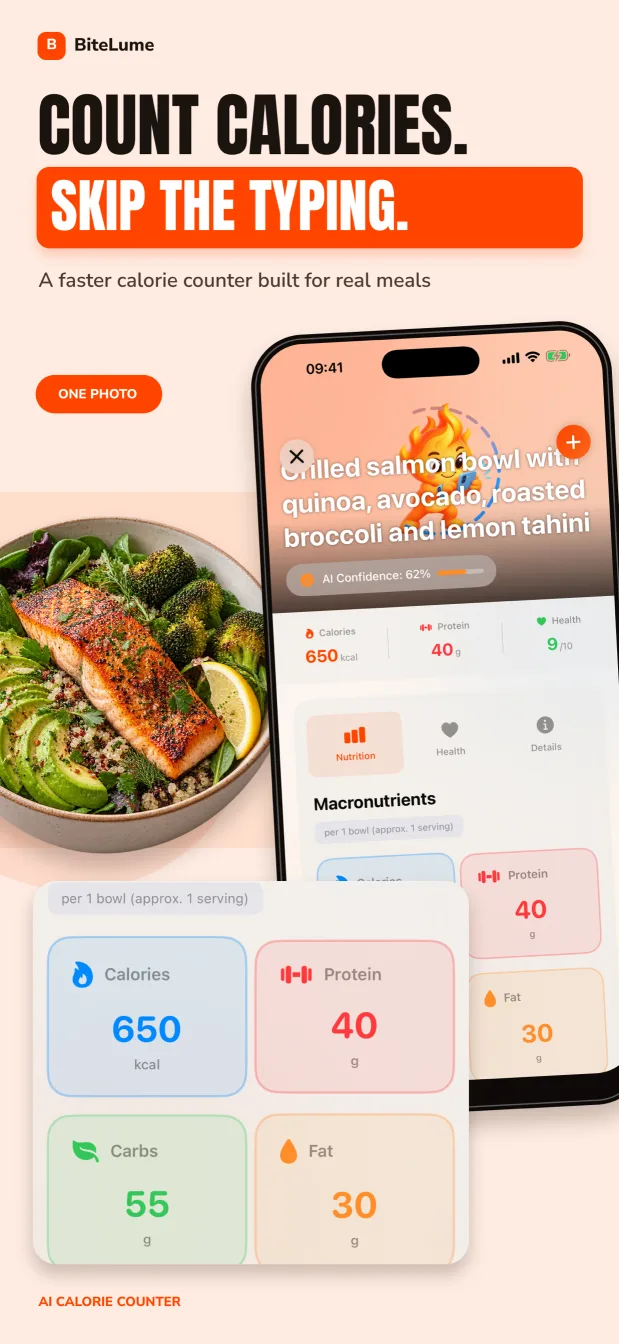
BiteLume is the narrower product in this comparison. Its iPhone listing centers a photo meal scan, estimated calories and the three main macros, a daily meal view, water and movement context, weight trends and streaks. The image remains part of the record, which makes the diary easy to scan visually later.
MyFitnessPal is a broader nutrition and fitness platform. Its current listing covers food and exercise tracking, goals, water, saved meals and recipes, integrations and community features. It runs across more device types and the web. Its camera and barcode shortcuts are paid features, while manual food and exercise logging sits in the Free tier according to the official plan table.
The difference is less about whether either app can show calories and more about how much system you want around the log. A focused camera habit and a large database-centered ecosystem solve different forms of friction.
Swipe to see the full table
| Decision factor | BiteLume | MyFitnessPal |
|---|---|---|
| Core approach | Photo-first visual meal diary | Searchable food and fitness diary ecosystem |
| Documented devices | iPhone | iPhone, iPad, Apple Watch, Android and web |
| Free logging route | Exact boundary not fully described publicly | Manual food and exercise logging |
| Photo logging | Published core workflow; check current access | Meal Scan in Premium |
| Database and recipes | Not the public focus | Broad food search plus foods, meals and recipes |
| Best fit | Fast visual capture with fewer layers | Detailed, connected, multi-input tracking |
Sources for this section: BiteLume App Store listing · MyFitnessPal App Store listing · MyFitnessPal Free, Premium and Premium+ comparison
A visual diary and a food database ask different things of you
With BiteLume, the initial task is concrete: photograph the complete meal. The image preserves portion shape, sides and presentation, then the app suggests calories and macros for review. For someone who abandons logging when it requires searching every ingredient, that small starting action may matter more than having thousands of possible database matches.
MyFitnessPal’s free workflow asks you to find or create the appropriate food, meal or recipe and set its serving. That can be efficient for a repeated breakfast, a known packaged item or a recipe already saved. It can also require judgment when several entries have similar names. Premium adds Meal Scan, barcode and voice logging to shorten that process while retaining the larger diary structure.
MyFitnessPal’s Meal Scanner does not simply convert a picture into unquestionable truth. Its help page says the camera suggests foods from the database, after which you select matches and adjust servings; missed food can be added through search. BiteLume estimates also need review. Whichever route you choose, a package label or known recipe can be stronger evidence than an image.
Swipe to see the full table
| Logging situation | BiteLume advantage | MyFitnessPal advantage |
|---|---|---|
| Unlabeled plate | One photo creates a visual starting record | Premium Meal Scan suggests database matches |
| Known repeated breakfast | Reuse visual context from similar entries | Saved meal or food can reduce repeated searching |
| Packaged product | Photo can document what was eaten | Premium barcode scan can find the product quickly |
| Homemade recipe | Image records the served portion | Recipe creation supports ingredient-based calculation |
| Exercise in the same system | Movement appears as daily context | Dedicated exercise logging and integrations are documented |
Sources for this section: MyFitnessPal — How to use the Meal Scanner · MyFitnessPal — How to use the Barcode Scanner
Related: Compare BiteLume with Cal AI
Compare the free workflow before comparing subscriptions
MyFitnessPal’s official tier table provides the clearer access map. Free includes food and exercise logging, measurements and past progress, custom foods, meals and recipes, macronutrient viewing, percentage-based goals, diary sharing, partner-app links and a printable report. Premium adds Meal Scan, barcode scanning, voice logging, ad-free use, more goal controls and deeper analysis. Premium+ adds meal-planning tools.
BiteLume is listed as free with in-app purchases, but the public page does not enumerate a comparable tier table. That means this comparison cannot responsibly promise unlimited free scanning or assign every screen to a paid plan. Inspect the current BiteLume offer inside the app and make the same check for MyFitnessPal, since pricing and trials can vary by country and purchase channel.
Start with the job you need at no cost. If manual search is acceptable, MyFitnessPal has a documented free path. If the camera is essential, compare the live BiteLume limits with MyFitnessPal Premium rather than comparing two download buttons. Include renewal timing, ads, data export and device coverage in the decision—not only the headline price.
Swipe to see the full table
| Capability | BiteLume access statement | MyFitnessPal access statement |
|---|---|---|
| Download | Free with in-app purchases | Free with in-app purchases |
| Manual food logging | Not emphasized on the public listing | Included in Free |
| Meal photo scan | Published workflow; exact tier boundary not fully listed | Premium |
| Barcode scanner | Not claimed on the current listing | Premium |
| Meal planning | Not claimed on the current listing | Premium+ |
| Current price | Verify the live offer | Verify the website or in-app offer |
Sources for this section: MyFitnessPal — Free, Premium and Premium+ feature table · MyFitnessPal Premium page · BiteLume App Store listing
MyFitnessPal offers more depth; BiteLume reduces the surface area
MyFitnessPal is the more capable documented ecosystem. A single account can cover mobile and web use, and the product describes partner integrations, exercise tracking, saved recipes, community and several layers of goal customization. Premium adds tools such as macros by meal, different goals by day, food timestamps and data export; Premium+ extends into meal planning and grocery support.
That depth helps if nutrition tracking is connected to training, meal preparation, coaching or a need to use a full keyboard on the web. It also creates more settings and navigation. A person who only wants to remember meals and view broad calorie and macro patterns may not benefit from configuring every available tool.
BiteLume’s smaller scope can be an advantage when the main obstacle is capture. The diary keeps photos, nutrition estimates and daily wellness context close together, without presenting itself as a complete food-database or planning platform. It is a disadvantage if you require Android, web access, detailed recipe management, a conventional barcode flow or a wide integration catalog.
Sources for this section: MyFitnessPal Premium features · MyFitnessPal App Store listing
The App Store privacy labels show different declared footprints
BiteLume’s current U.S. App Store label says “Data Not Collected.” MyFitnessPal’s label says identifiers and usage data may be used to track users. It also lists health and fitness information, contact information, identifiers, usage data and diagnostics among categories that may be collected and linked to identity, with other categories and purposes shown on the full page.
BiteLume’s linked privacy policy, updated October 16, 2026, says meal photos and descriptions are sent to OpenAI and separately mentions optional usage analytics and product-database lookups. That does not match a simple reading of “Data Not Collected.” BiteLume should reconcile its implementation, policy and App Store Connect answers before the label is treated as evidence of a smaller actual footprint.
Apple says developers submit the label information and Apple does not independently verify it. Read the current policies, check account-deletion and export options, and decide what you are comfortable sharing before logging health or meal information. This page does not infer that either app is more private from the label headlines alone.
Swipe to see the full table
| Privacy-label question | BiteLume | MyFitnessPal |
|---|---|---|
| Current App Store headline | Data Not Collected | Tracking and linked-data categories displayed |
| Meal-photo statement | Label declares none; linked policy says photos and descriptions go to OpenAI | Health and fitness, contact, identifiers, usage and diagnostics among linked categories |
| Who supplied it | The developer | The developer |
| Apple verification | Not independently verified by Apple | Not independently verified by Apple |
| Next step | Reconcile the label with the linked policy | Read the live label and policy |
Sources for this section: BiteLume App Store privacy label · MyFitnessPal App Store privacy label · Apple — App Privacy Details
Who should choose BiteLume, and who should choose MyFitnessPal?
Choose BiteLume if you use an iPhone, want the meal image to remain the center of your diary and prefer a shorter path from plate to estimate. It is particularly suited to someone who values visual recall and broad daily context more than a comprehensive database, recipe builder or web dashboard. Confirm the live in-app access that applies to your routine.
Choose MyFitnessPal if you want a documented free manual-logging path, need Android or web access, build recipes, connect other services, track exercise in detail or want a mature set of diary controls. Choose Premium only if its faster inputs and analysis solve a real problem; Meal Scan and barcode access are not part of the Free tier under the current official comparison.
For either app, review portions and hidden ingredients. Image recognition cannot see a recipe, oil absorbed during cooking or food outside the frame, while database entries can be mismatched or scaled to the wrong serving. Neither product should replace individualized medical nutrition guidance.
BiteLume is the simpler visual-diary option for an iPhone user. MyFitnessPal is the stronger documented choice for free manual logging, cross-platform access and a deeper nutrition-and-fitness system.
Run a seven-day workflow test, not a one-scan contest
A single photogenic meal can make any scanner feel convincing. Test an ordinary week instead: a repeated breakfast, a package, a homemade recipe, a mixed restaurant dish and a day when you are busy. Measure whether you actually finish the entry, whether portions are reviewable and whether yesterday’s log still makes sense.
In MyFitnessPal, try the free manual path before deciding that Premium is necessary. Save a frequent meal and create one recipe. If you can evaluate Premium, compare Meal Scan with the same BiteLume photos and adjust both results with equal care. Do not count database breadth as a benefit unless it helps you locate the right food rather than another plausible-looking entry.
At the end of the week, choose based on completion rate, clarity, device access, privacy comfort and total applicable cost. Export or preserve any details you will need before switching. The best tracking system is not the one with the largest menu; it is the one that produces a transparent record you can maintain.
- Log the same representative foods through each available workflow.
- Review serving sizes, recipes, cooking fat and off-camera items.
- Compare a complete week of saved entries instead of one result screen.
- Check whether the free tier handles your real needs.
- Confirm current renewal, export and privacy terms before subscribing.
Sources for this section: MyFitnessPal Meal Scanner instructions · Image-based dietary assessment research
Questions people also ask
Is BiteLume better than MyFitnessPal?
BiteLume is a better fit for a focused iPhone photo diary. MyFitnessPal is a better fit for free manual logging, a broad searchable database, recipes, integrations and access across more platforms. The better choice depends on the workflow you will repeat.
Does free MyFitnessPal include Meal Scan?
No. MyFitnessPal’s current official plan comparison lists Meal Scan and the barcode scanner under Premium. Free includes manual food and exercise logging, foods, meals, recipes and several basic diary tools.
Can BiteLume replace MyFitnessPal?
It can replace MyFitnessPal for someone whose main need is a visual iPhone meal diary with calorie and macro estimates. It is not a like-for-like replacement if you need MyFitnessPal’s web access, recipe system, database search, integrations or detailed fitness ecosystem.
Which app is more private according to the App Store?
The App Store labels differ, but they do not establish which app is more private. BiteLume displays “Data Not Collected,” while its linked policy says meal photos and descriptions are sent to OpenAI and mentions optional analytics. MyFitnessPal declares tracking and linked-data categories. Read both policies and labels; BiteLume should reconcile its own disclosures.
Make the next meal easier to track.
Use a photo to get a calorie and macro starting point, review the details, and keep your progress in one place.