The best Cal AI alternative depends on the job you need done. BiteLume suits iPhone users who want a focused photo-first diary for calories and core macros. SnapCalorie emphasizes photo and voice entry, portion technology and a broad nutrient view. Foodvisor combines paid photo analysis with recipes and nutrition guidance. MyFitnessPal and Lose It! are stronger candidates when large databases, integrations and multiple logging methods matter. YAZIO combines a free core diary with AI photo tracking in Pro. MacroFactor is the different choice: a paid tracker centered on adaptive calorie and macro coaching rather than a simple Cal AI replacement. Cal AI itself requires a subscription to view food-scanning analysis results. Most alternatives also limit photo features by subscription or free-use allowance, so compare the current offer on your device. All photo results are estimates; review foods, portions and hidden ingredients before saving them.
- BiteLume — official US App Store listing
- Cal AI — official US App Store listing
- SnapCalorie — official US App Store listing
- Foodvisor — official US App Store listing
- MyFitnessPal — official US App Store listing
- Lose It! — official US App Store listing
- MacroFactor — official US App Store listing
- YAZIO — official US App Store listing
- Cal AI — official billing and scanning FAQ
How we selected these Cal AI alternatives
A useful alternative must overlap with the reason someone considers Cal AI, not merely count calories. Cal AI's official listing describes a plan built from lifestyle questions, meal-photo scanning and a nutrition breakdown; it also states that food-scanning analysis results require a subscription. We therefore prioritized apps with a documented photo or image-assisted workflow, then examined what surrounds that workflow.
The comparison criteria are simple: how food is entered, what nutrition is shown, whether the app is focused or broad, supported platforms, current access boundary and the job each product is best positioned to do. We reviewed official US App Store listings and first-party help material on October 18, 2026. We did not rank by ratings, repeat vendor accuracy claims as established fact or perform hands-on tests.
“Best” in this roundup means best fit for a stated use case. It does not mean one app wins every category. Product availability, trials, prices and feature entitlements can change by region and account, so verify the live offer before subscribing.
Sources for this section: Cal AI App Store listing · Cal AI official FAQ
Related: Browse all BiteLume app comparisons
Seven Cal AI alternatives, matched to different priorities
Start with the use-case column rather than the app name. A person who wants to snap lunch and move on has a different requirement from someone who wants an adaptive macro plan, a large branded-food database or a library of recipes. The most suitable tool is the one that handles your most common meals without demanding features you will not use.
Every row contains a tradeoff. Photo-focused tools still need review. Broad trackers may put the fastest image tools behind a paid plan. Coaching-focused apps require more consistent inputs. Treat this table as a shortlist, then confirm the details in the sections below.
Swipe to see the full table
| Alternative | Best fit | Important boundary |
|---|---|---|
| BiteLume | Focused iPhone photo diary for calories and core macros | Free download with in-app purchases; verify current feature access |
| SnapCalorie | Photo and voice entry with broad nutrient detail | FAQ says up to three free AI logs daily; paid-limit details are not specified there |
| Foodvisor | Photo analysis plus nutrition guidance, recipes and summaries | Photo meal analysis is a Premium feature |
| MyFitnessPal | Large nutrition-and-fitness ecosystem with many logging methods | Meal Scan and barcode scanning are Premium |
| Lose It! | Calorie budgeting, database logging, community and integrations | Photo and voice logging are listed under Premium |
| MacroFactor | Adaptive calorie and macro coaching | Premium-only after a trial; not primarily a point-and-shoot scanner |
| YAZIO | Free core diary plus recipes, fasting and planning | AI photo tracking is part of Pro |
Sources for this section: BiteLume listing · SnapCalorie listing · Foodvisor listing · MyFitnessPal listing · Lose It! listing · MacroFactor listing · YAZIO listing
Photo-first choices: BiteLume, SnapCalorie and Foodvisor
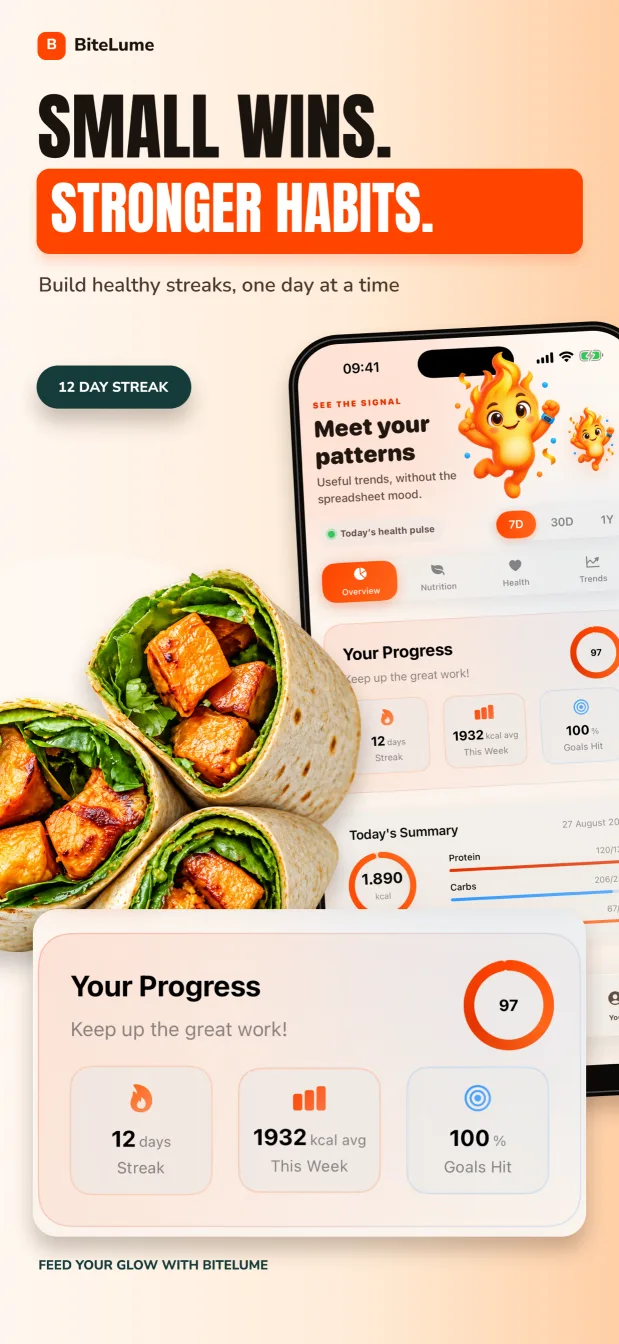
BiteLume is the clearest alternative when you want the product to stay centered on the meal photo. Its listing describes scanning food, reviewing estimates for calories, protein, carbohydrates and fat, and saving the meal into a daily diary. It also includes calorie and macro targets, water and activity context, weight trends and streaks. It is currently an iPhone app, so it is not the answer for an Android user or someone seeking a large database ecosystem.
SnapCalorie is the stronger candidate when photo capture should lead to deeper nutrition detail. Its listing advertises photo and voice logging, label scanning, custom goals, Apple Health integration, a visual meal timeline and more than the four core nutrition numbers. Its FAQ says free access covers up to three AI logs per day and separately mentions Premium, but it does not state whether Premium changes that ceiling. Confirm the paid entitlement shown in the current app before choosing on that basis.
Foodvisor suits someone who wants the scan to open into a broader program. Its listing and help pages describe photo, voice, text, search, barcode and favorites, with calories, macros, vitamins, minerals, hydration, fasting, activity, reports and guidance. Its free version supports manual diary logging, while its current help page puts meal-photo analysis in Premium. Choose it for that wider environment, not because you expect a free photo scanner.
Best for a focused iPhone diary: BiteLume
BiteLume favors fewer decisions, keeping the photographed meal, estimated calories and core macros close to the day's progress.
Best for photo-led nutrient depth: SnapCalorie
SnapCalorie suits users who want a visual timeline and wider nutrient detail, provided its access model fits their routine.
Best for photo tracking plus guidance: Foodvisor
Foodvisor adds recipes, lessons, summaries and personalization around photo analysis, with much of that depth in its paid offering.
Sources for this section: SnapCalorie FAQ · Foodvisor free and Premium features
Broader ecosystems: MyFitnessPal, Lose It! and YAZIO
MyFitnessPal is the broadest ecosystem in this shortlist. Its listing advertises a large searchable food collection, saved meals and recipes, water and exercise tracking, goals, dashboards, meal planning, a community and numerous connected apps. Meal Scan, barcode scan and voice logging are part of Premium. Choose it when the photo is only one of several ways you expect to log and when fitness-platform connections matter more than a minimal interface.
Lose It! organizes its experience around calorie budgets, food and exercise logging, weight progress and community. Basic provides core tracking and a plan, while the current App Store description lists photo and voice logging, advanced nutrients, fasting, meal targets and integrations as Premium features. It is a sensible alternative for someone who wants a mature calorie-budget workflow and expects to alternate between database entries and AI-assisted logging.
YAZIO combines a free core calorie diary and barcode scanner with recipes, meal planning, water and activity tools. Its help center says AI food tracking from a photo is a Pro feature, alongside extended nutrition details, future meal planning, fasting plans and longer insights. Choose YAZIO when the appeal is a structured food-and-lifestyle organizer, and budget for Pro if the photo workflow is essential.
Best for database and fitness connections: MyFitnessPal
MyFitnessPal fits people who want recipes, branded foods, fitness data, goals and several paid logging shortcuts in one account.
Best for calorie budgeting and community: Lose It!
Lose It! fits users who prioritize a calorie budget and established logging system; its image tools are part of Premium.
Best for planning, recipes and fasting tools: YAZIO
YAZIO lets you test its core diary before deciding whether Pro photo tracking and deeper planning merit the upgrade.
Sources for this section: MyFitnessPal Meal Scanner help · Lose It! membership tiers · YAZIO Pro feature guide
MacroFactor is the alternative when coaching matters more than scanning
MacroFactor belongs in this roundup for a different reason. Its central promise is an adaptive calorie-and-macro program driven by logged intake and weight trends, with weekly check-ins that can update targets. Its listing also describes a verified food database, barcode scanning, custom foods, recipes, nutrient detail and extensive data views. The current version history references AI photo or text recipe import, but the product is not presented primarily as a point-and-shoot meal scanner.
That makes MacroFactor a poor substitute if the only requirement is “take a picture and get a quick estimate.” It can be a better choice when you are willing to log consistently and want a system that interprets longer-term intake and weight data. MacroFactor is a premium app with a seven-day trial and no permanent free tier, according to its official listing.
Cal AI remains the closer visual comparison: its listing leads with lifestyle questions, a meal photo and a nutrition breakdown, while noting that scan analysis results require a subscription. If Cal AI's exact simplicity is what you like, compare it with BiteLume or SnapCalorie first. If you are leaving because you want more planning logic rather than another scanner, MacroFactor becomes more relevant.
MacroFactor is best evaluated as an adaptive coaching tracker. BiteLume, SnapCalorie and Cal AI are more direct candidates when the meal-photo interaction itself is the priority.
Sources for this section: MacroFactor product overview · MacroFactor check-ins and coaching modules
Where free access ends for photo calorie tracking
“Free download” and “free photo calorie tracker” are not equivalent. App Store buttons usually describe the cost to install, while scanning, analysis, history or advanced nutrition may require a subscription. Trials and introductory offers can also make the first session look different from long-term access.
The safest comparison uses words rather than fixed prices: free core diary, capped free scans, trial only, or paid photo feature. Exact charges vary by country, store account and promotion. Before subscribing, identify the billing period, renewal date, cancellation route and what remains usable when the paid period ends.
Swipe to see the full table
| App | Current starting access | Photo-related boundary to check |
|---|---|---|
| BiteLume | Free download with in-app purchases | Photo scanning is central to the listing; verify the current in-app offer |
| SnapCalorie | Capped free AI use | Official FAQ says up to three free AI logs daily; confirm the live cap |
| Foodvisor | Free manual food diary | Photo meal analysis requires Premium |
| MyFitnessPal | Free core tracking | Meal Scan and barcode scanning require Premium |
| Lose It! | Free Basic tracking | App Store listing places photo and voice logging in Premium |
| MacroFactor | Seven-day trial | No permanent free tier |
| YAZIO | Free core diary and barcode tools | AI food tracking from a photo requires Pro |
| Cal AI | Free download with in-app purchases | Food-scanning analysis results require a subscription |
Sources for this section: BiteLume listing · SnapCalorie free-use FAQ · Foodvisor access tiers · MyFitnessPal plan differences · Lose It! membership tiers · MacroFactor listing · YAZIO Pro access · Cal AI subscription FAQ
Compare privacy disclosures and estimate quality separately
A detailed privacy label does not tell you whether a calorie estimate is good, and an impressive scan does not tell you how personal data is handled. BiteLume's current US App Store label says “Data Not Collected,” while its linked policy says meal photos and descriptions are sent to OpenAI and separately mentions optional analytics and product-database lookups. Because those disclosures differ, do not treat the label alone as proof of lower collection.
Apple states that App Store privacy details are reported by developers and are not independently verified by Apple. Read each current policy and label, and seek clarification when they conflict. Do not infer offline processing, encryption design, provider retention or relative privacy from a short label headline.
For estimate quality, inspect the meal rather than a vendor superlative. Check food identity, portion size, cooking fat, sauce, drinks and hidden components. A package label, restaurant nutrition page or weighed recipe can provide better evidence than a photograph. Consistent review is more valuable than choosing whichever app gives the most confident-looking number.
Sources for this section: Apple Developer — App Privacy Details · BiteLume App Store privacy label
Choose the alternative that matches your real logging week
For the closest focused Cal AI alternative on iPhone, begin with BiteLume. For a photo-led tool with a wider nutrient presentation and voice entry, compare SnapCalorie. Choose Foodvisor when lessons, recipes and guidance are part of the value. Start with MyFitnessPal or Lose It! when databases, integrations and multiple logging routes matter. Consider YAZIO for a free core diary that can expand into planning and paid AI photo tracking. Choose MacroFactor when adaptive targets are more important than a minimal scan.
Then test the decision against your ordinary week. Include a labeled food, a homemade mixed dish, a restaurant meal and something you eat repeatedly. Time the whole process, including review. Note whether the app makes uncertainty visible and whether its diary helps you use the information later.
No app can promise that a meal photo contains enough evidence for an exact calorie count, and none of these products should replace a clinician for medical nutrition needs. The practical winner is the tool whose limitations you understand and whose workflow you can repeat honestly.
- Pick one primary job: fast photos, nutrient depth, database breadth, planning or adaptive coaching.
- Shortlist two apps whose official feature sets match that job.
- Confirm the photo feature's current subscription or free-use boundary.
- Test the same representative meals in both apps.
- Read privacy labels, billing terms and device requirements.
- Keep the app that produces a reviewable record with sustainable effort.
BiteLume is our focused iPhone pick; SnapCalorie is the photo-depth pick; Foodvisor is the guidance pick; MyFitnessPal and Lose It! are ecosystem picks; YAZIO is the planning pick; and MacroFactor is the adaptive-coaching pick.
Questions people also ask
What is the best Cal AI alternative for iPhone?
BiteLume is a strong fit when you want a focused photo-first diary for calories and core macros. SnapCalorie suits users who want a broader photo-led nutrient view, while Foodvisor, MyFitnessPal, Lose It! and YAZIO add larger ecosystems. The best choice depends on your workflow.
Is there a completely free Cal AI alternative?
Do not assume so from a free download button. BiteLume offers in-app purchases; SnapCalorie caps free AI logs; Foodvisor, MyFitnessPal, Lose It! and YAZIO restrict relevant photo tools to paid access; and MacroFactor is premium after its trial. Verify live offers before choosing.
Which Cal AI alternative is best for detailed macro tracking?
MacroFactor is the strongest fit when adaptive macro targets and structured logging matter most. SnapCalorie and Foodvisor advertise broader nutrient detail around photo entry. BiteLume is better suited to a simpler view of calories, protein, carbohydrates and fat.
Can any photo calorie app calculate a meal exactly?
No. A photograph may not reveal oil, sauce ingredients, recipe proportions or portion depth. Use photo results as estimates, review the detected foods and quantities, and prefer labels, restaurant nutrition or known recipe calculations when those provide stronger evidence.
Make the next meal easier to track.
Use a photo to get a calorie and macro starting point, review the details, and keep your progress in one place.